&geometry(115x98) "Loyal I.T Solutions")

Fakes, Scams and Copycats: 3 Email Threats Targeting Your Business
 "Fakes, Scams and Copycats: 3 Email Threats Targeting Your Business")
Spotting the Fakes: How to Protect Your Business from Email and Invoice Scams
Cybercriminals are increasingly mimicking trusted colleagues, suppliers, and brands to trick businesses out of their money.
Every day, local businesses across the Central Coast rely on email to communicate with clients, process payments, and keep operations running smoothly. Sadly, bad actors know that email is a powerful channel, and they look to exploit it whenever possible. These scams, often called Business Email Compromise, cost businesses billions of dollars globally every single year.
The good news is that understanding how these tricks work is the very best way to keep your team and your livelihood safe. Here is a plain English guide to the three most common email scams we are seeing right now, and exactly how you can stop them.
The Impersonator Email
Imagine getting an urgent email from your boss or the company director asking for an immediate wire transfer to secure a new deal. The message looks entirely legitimate. It uses the right language, references internal details, and demands absolute confidentiality.
This is known as CEO fraud. These emails rarely include malicious links or suspicious attachments. Instead, they rely on social engineering and a manufactured sense of urgency to bypass your normal approval processes. The scammer is hoping you will act quickly out of a desire to be helpful, without stopping to verify the request.
The Fake Invoice Scam
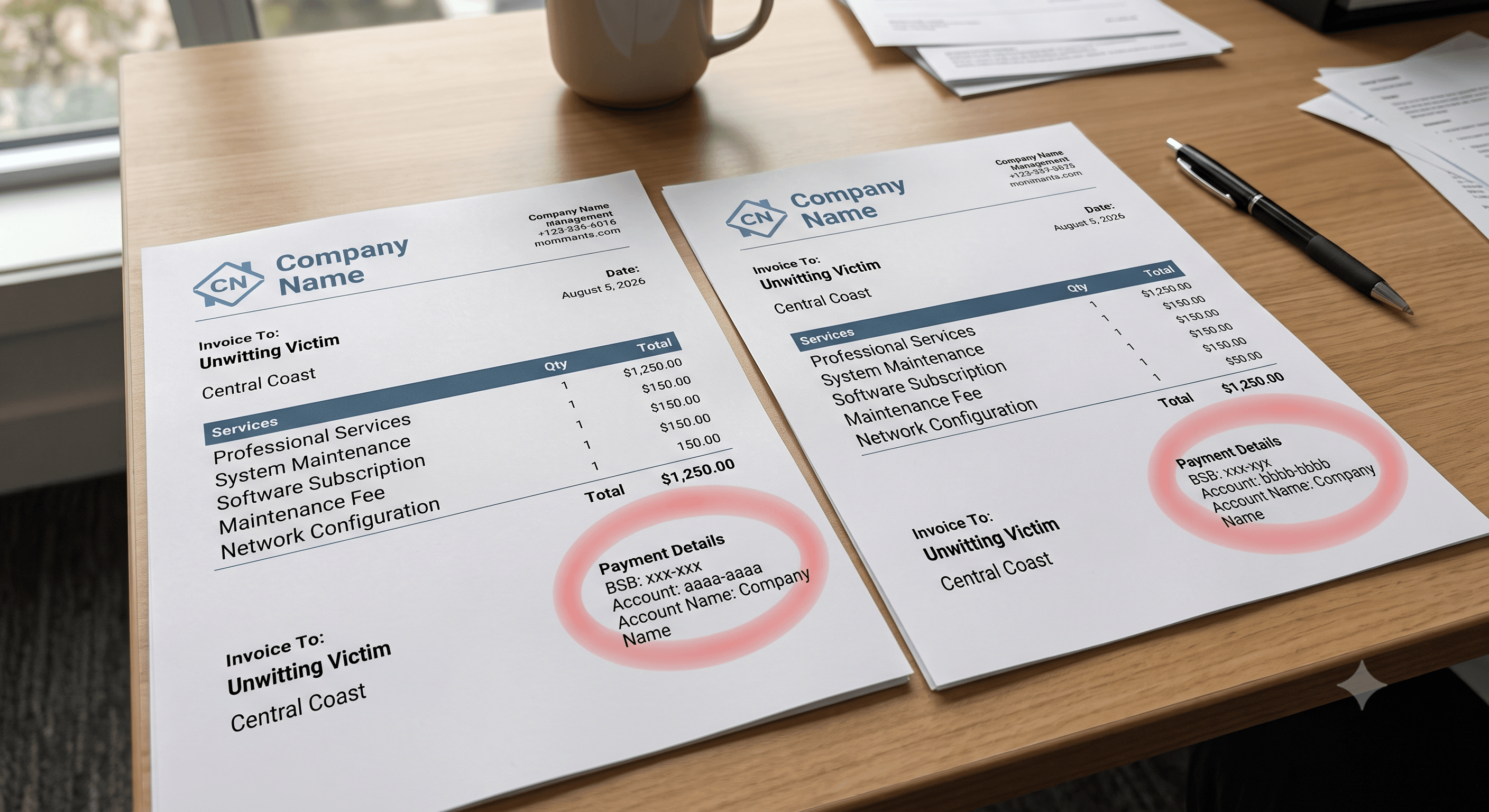
This tactic is particularly common and incredibly devastating for small businesses. An attacker will pose as a vendor you already work with and send an email stating that their banking details have recently changed. They will usually attach an updated invoice that looks completely identical to the real ones you usually receive.
If your accounts team updates the payment destination without checking, the funds are sent straight to a fraudulent account controlled by the attacker.
The Copycat Web Address
To make their emails look believable, scammers use lookalike domains. If your regular supplier uses the address "securityfirm.com", the attacker might register "security-firm.com" or "securityfirm.com.au".
When we are busy and scanning through a flooded inbox, our brains naturally fill in the blanks, making it very easy to miss a single altered letter or an added hyphen. This simple visual deception tricks users into believing they are communicating with the correct person.
Simple Steps to Keep Your Business Safe
You do not need to be a technology expert to protect your workplace. Here are a few practical habits you can introduce to your team today:
- Look closely at the sender: Always check the actual email address, rather than just trusting the display name that appears in your inbox.
- Pick up the phone: If you receive an email requesting a change to payment details or an urgent transfer of funds, you must verify it outside of the email chain. Call the supplier or executive using a phone number you already have on file, not the number listed in the suspicious email.
- Pause and breathe: Scammers create a false sense of urgency to force mistakes. If an email demands immediate action or threatens consequences, treat it as a major red flag and slow down.
How We Support Your Security
At Loyal I.T. Solutions, our team is our family at work, and we treat our clients with that same level of care. We believe in providing robust defences to catch the threats that might slip past the human eye.
We highly recommend using MailGuard for your email security, which uses advanced threat detection to predict and block new threats before they even reach your inbox. We also recommend SentinelOne. SentinelOne is a much more advanced endpoint protection platform that monitors behaviour on your devices to spot suspicious patterns.
For an extra layer of peace of mind, we also offer our Security Operations Centre as an optional addition. Think of this as a proactive response service. Rather than just reporting a problem after the fact, our experts actively investigate potential threats and fix vulnerabilities for you, stopping attacks before they can spread.
Keeping your business safe does not have to be complicated. Contact the office at reception@loyalit.com.au or 02 4337 0700 to review your current setup or implementing stronger email protections.
 "Michael Goodwin") Author:Michael Goodwin
Author:Michael Goodwin| Tags:ITSecurityWindowsServicesIT ConsultingCyber SecurityAICopilotsentinelmicrosoft 365passkeyspasswordsphishing |