&geometry(115x98) "Loyal I.T Solutions")

Understanding Microsoft 365 and Copilot Licences
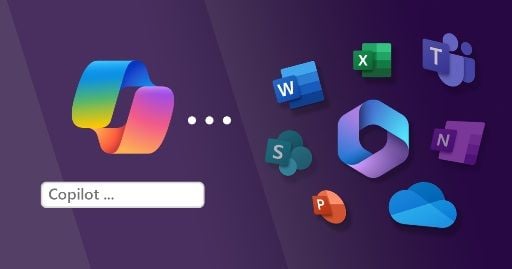 "Understanding Microsoft 365 and Copilot Licences")
Understanding Microsoft 365 and Copilot Licences
Navigating the world of Microsoft licences can be an incredibly confusing experience for local business owners. With an endless stream of product names like Basic, Standard, Premium, and Copilot, it is completely normal to feel uncertain about what your business is actually paying for each month.
At Loyal I.T. Solutions, we believe in cutting through the jargon. We want to lay out the plain English facts so you can understand exactly what each licence tier provides and how the latest artificial intelligence features fit into your workplace.
The Foundation: Your Core Microsoft 365 Licence
Before exploring any AI capabilities, your office relies on a base Microsoft 365 subscription. For small and medium-sized businesses, this generally comes down to three choices:
Microsoft 365 Business Basic: This plan provides business email, secure cloud storage via OneDrive, and Microsoft Teams. It only gives you access to the web-browser versions of Word and Excel, meaning there are no traditional desktop applications to install.
Microsoft 365 Business Standard: This is the standard choice for most local teams. It unlocks the full desktop versions of Word, Excel, PowerPoint, and Outlook. It also unlocks extra creative and teamwork tools, such as Clipchamp, which is a built-in video recorder and editor, and Microsoft Loop. Loop is a flexible digital canvas where your team can co-create and collaborate on projects, notes, and task lists in real time, with the information updating automatically across your different Microsoft apps.
Microsoft 365 Business Premium: This tier includes everything found in Standard, but adds a heavy layer of advanced cybersecurity, identity protection, and mobile device management tools. It is highly recommended for businesses wanting to protect sensitive client data and satisfy modern cyber insurance requirements.
Clarifying Copilot Access
In a previous blog article, we shared that Microsoft had made a decision to prevent Copilot from interacting directly with your business documents. To clarify in regard to this restriction, it only applies to the standard, web-based version known as Copilot Chat.
If you are using the free version included with your standard business licence, it behaves like a coach from the sidelines. It can read text you paste into it, explain concepts, and write formulas for you, but it cannot reach inside your active desktop application to make changes itself.
Unlocking Direct Document Access
To allow the AI to interact directly with your files, you need to subscribe to the Microsoft 365 Copilot licence. This paid tier places a native Copilot button directly inside the ribbon of your everyday desktop applications like Word, Excel, PowerPoint, Outlook, and Teams. It allows the AI to take direct, hands-on action inside your documents.
We want to be entirely clear that even with this higher level of access, your company data remains completely secure. Anything accessed by Copilot stays safely within your private business environment, meaning it is never shared to the web, never visible to outsiders, and never used by Microsoft to train public AI tools.
With this upgrade utilised, you can ask Copilot to perform tasks natively:
In Word: It can automatically format text, apply consistent styles, fix paragraph spacing, or insert a table of contents directly onto the page.
In Excel: It can analyse a spreadsheet, highlight key financial trends, and build visual charts automatically without you needing to write complex formulas.
In PowerPoint: You can point Copilot toward an existing Word document, and it will automatically transform that information into a beautifully styled presentation slide deck.
Going Beyond Your Documents
It is important to note that Copilot for Microsoft 365 performs many powerful functions that go far beyond just interacting with your documents. Because it links your entire Microsoft workspace together, it can assist with daily operational tasks across your team:
In Microsoft Teams: It acts as an automated meeting secretary, transcribing live discussions, summarising key decisions, and clearly assigning action items so no one has to take notes manually.
Smart File Searching: Instead of hunting through endless folders, you can ask Copilot in plain English to locate specific files or emails across Outlook, OneDrive, and SharePoint instantly.
Summarising Multiple Sources: You can ask Copilot to review and compare information scattered across entirely different documents or meeting minutes at the same time to give you a single executive summary.
The Golden Rule of Eligibility: To add this interactive capability, a user must already have an active licence for either Business Standard or Business Premium. It cannot be added to a Business Basic account because the AI requires those local desktop applications to do its job safely.
Finding the Right Balance for Your Team
For many businesses across the Central Coast, starting out with the free web-based version of Copilot Chat is a fantastic way to learn the basics of AI safety. For teams looking to remove administrative bottlenecks and give time back to their staff, investing in the upgraded licence tier can be a true productivity game-changer.
There will be a series of blogs coming soon that will explain the higher-level work Copilot for Microsoft 365 can do to support your daily office rhythm.
To look over your current Microsoft setup, clarify your user licences, or discuss getting these tools running smoothly for your office, contact us today on 02 4337 0700 or email reception@loyalit.com.au.
 "Michael Goodwin") Author:Michael Goodwin
Author:Michael Goodwin| Tags:ITSecurityWindowsServicesIT ConsultingCyber SecurityAICopilotsentinelclaudegeminimicrosoft 365 |